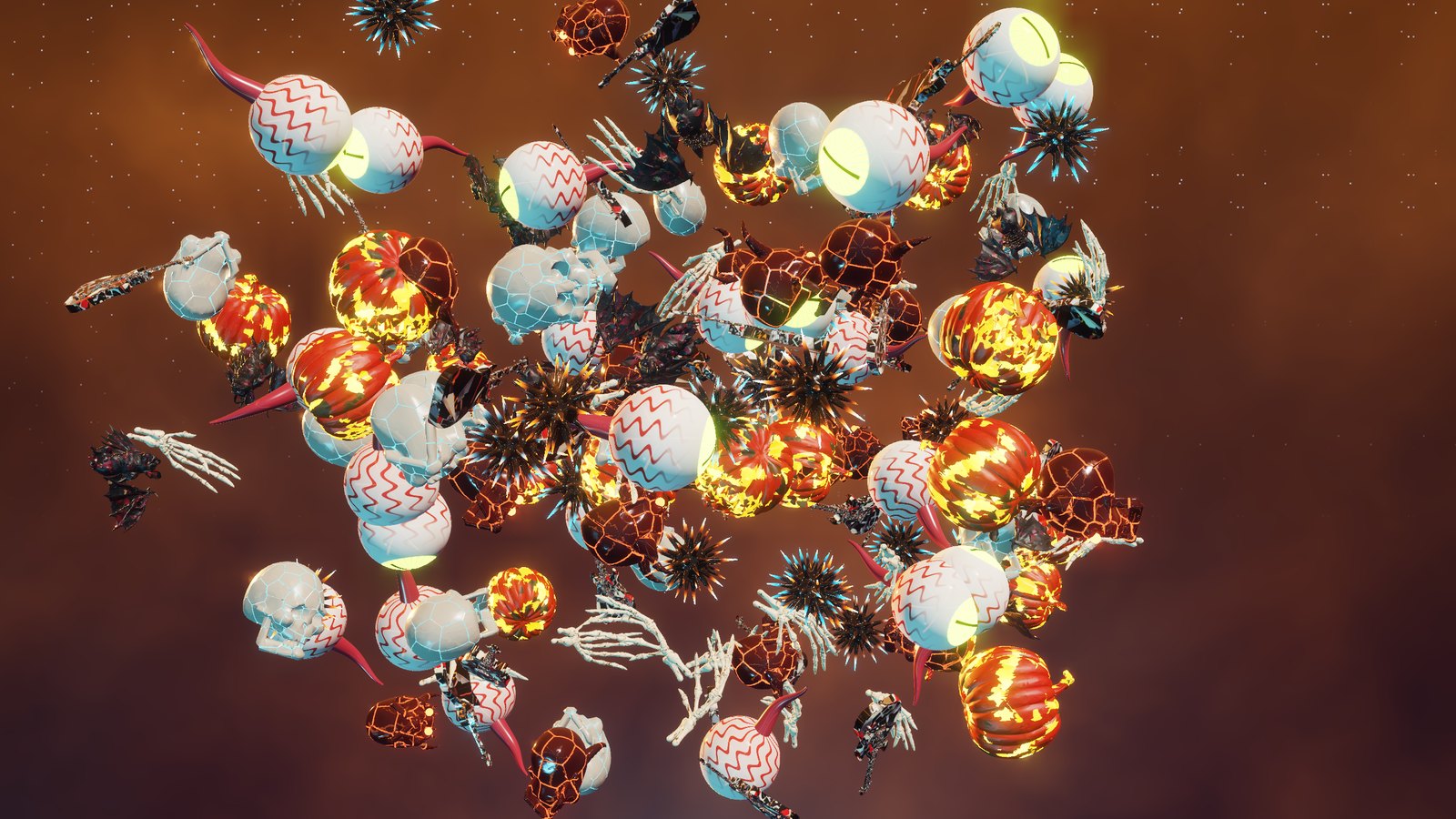
Remember the HDR Jamboooooree? The skulls, demons, eyeballs, bats, pumpkins, guitars and skeleton hands from that video were too much fun to leave in one video, so I gave them a second job. They now haunt my PC every time I walk away from it. Spooky Jamboree, a free Windows screensaver It runs three scenes and melts from one into the next: - Ripple race: lanes of creatures race corner to corner across the screen, every lane at its own speed, with ripples and glowing waves rolling through them.
- Rings: concentric rings fill the whole screen and spin around a giant centerpiece. Every ring turns at its own speed, each one the opposite way from its neighbor, and the center wanders around the screen.
- Swoop: everything lifts out of a flat grid and swoops around each other in 3D, then falls back into the grid and does it all again.
Nobody sits still. Everything tumbles, and every few seconds somebody does a full flip, sometimes a double. If you have an HDR screen with Windows HDR turned on, it switches to real HDR10 by itself with the same look as the video, so the pumpkin flames and demon eyes glow up to 2,000 nits. On a regular screen it still looks great. How to get it: - Go to the Spooky Jamboree page and click Download for Windows. It works on Windows 10 and 11.
- Open SpookySaverSetup.exe. Windows will probably say “Windows protected your PC”, because it hasn't seen this little program before. Click More info, then Run anyway.
- Click Install and say Yes when Windows asks. Click Preview to see it right away.
The setup puts it in Windows itself, so you can delete the download afterwards, and you can uninstall it any time from Settings, Apps. To change the crowd size, the scene length or the HDR brightness, open Windows' Screen saver settings, pick SpookyJamboree and click Settings. Built with Claude Code, same as the others, and it lives in the Coding Projects box on the left. Install it, walk away from your PC, and tell me what breaks. |